
 FFEdit Express for macOS
FFEdit Express is a simple video trimming tool built around ffmpeg. Set an in point and an out point, and export just that range as a lossless copy — fast, with no re-encoding and no quality loss.
Screenshots
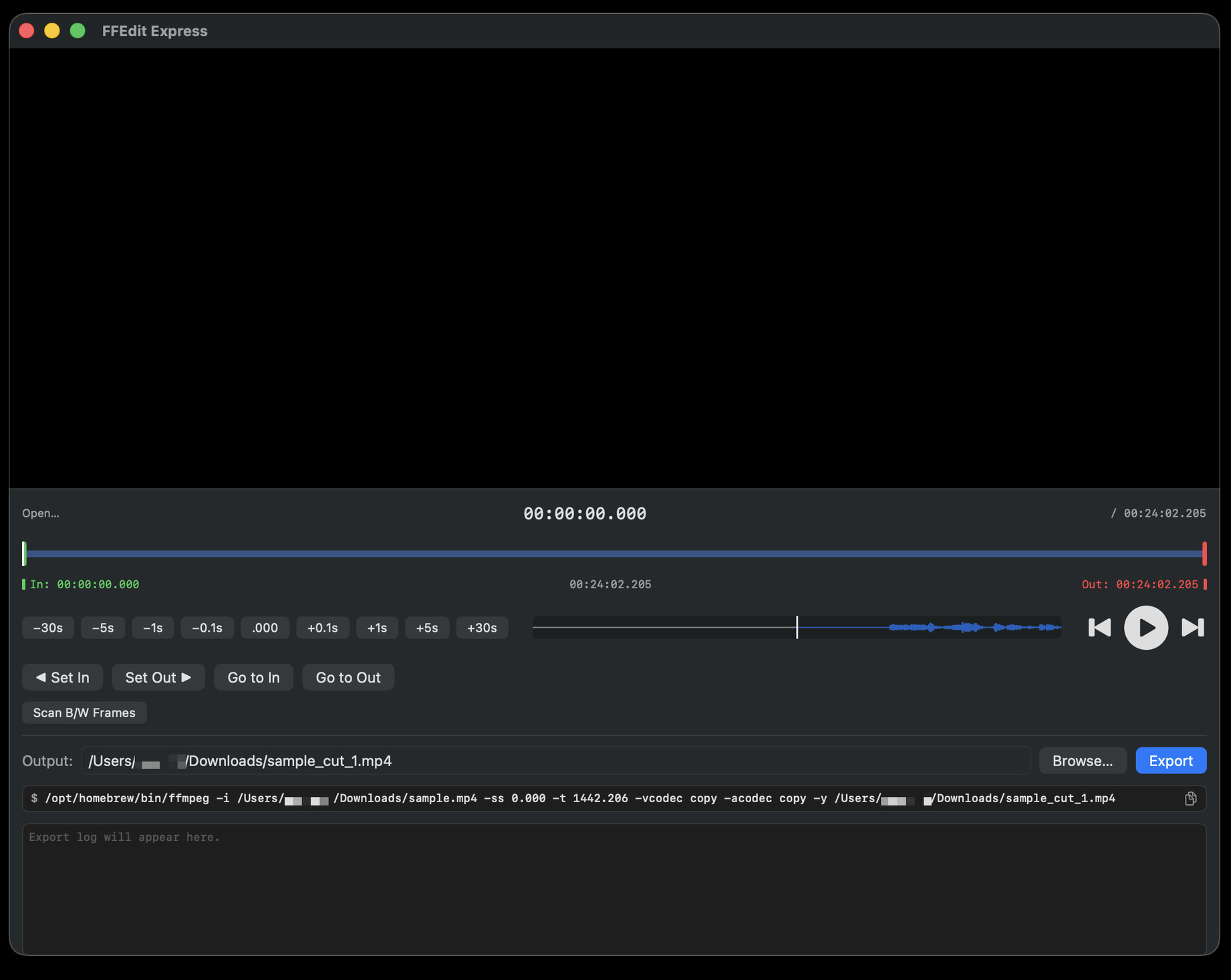
For how each control works, see the User Guide.
Features
- Lossless export — writes the selected range with ffmpeg’s
-vcodec copy -acodec copy, so there is no re-encoding, no quality loss, and it finishes quickly - Timeline scrubbing — drag the playhead, in point, or out point directly on the timeline; the handle nearest where you start dragging is picked up automatically
- In / out points — Set In and Set Out mark the current position; Go to In and Go to Out jump back to them, and the length between them is shown on screen
- Precise navigation — jump forward or back by fixed steps from 0.1 second up to 30 seconds, or snap the current position to the nearest whole second
- B/W frame scan — automatically detects black and white frames (scene cuts lasting 0.5 seconds or longer) and marks them on the timeline, with Prev / Next to step between markers
- Copy the ffmpeg command — copy the exact
ffmpeg …command to the clipboard and run it in Terminal yourself - Auto-named output — suggests a
_cutoutput path, and adds_1,_2, … automatically if a file with that name already exists
Requirements
- macOS 14 or later
- ffmpeg (install with Homebrew:
brew install ffmpeg)
Download
Download FFEdit Express v1.0 (.zip)
- Download and unzip the file.
- Move FFEdit Express.app into your Applications folder.
- Launch it from Applications. On first launch, if macOS blocks the app, right-click it and choose Open.
FFEdit Express needs ffmpeg — see Requirements above.